Two times lossless zoom
When making any kind of content, it's nice to be able to get different perspectives, not just the same ultra-wide shot all the time. While I had shot with the Action 5 before, the 2x zoom was just 1080P upscaled on that camera, leading to loss of detail and lots of noise. The Action 6 changes all that: it takes an actual 2x readout of the 8K sensor, so it retains more detail and has less noise. It really allows you to punch in on your subject and get usable footage.
I found that the 2x zoom works best with subjects closer to the camera (as in, a few meters away from the camera). Far away details do of course get magnified, but do lose some of their fine details.
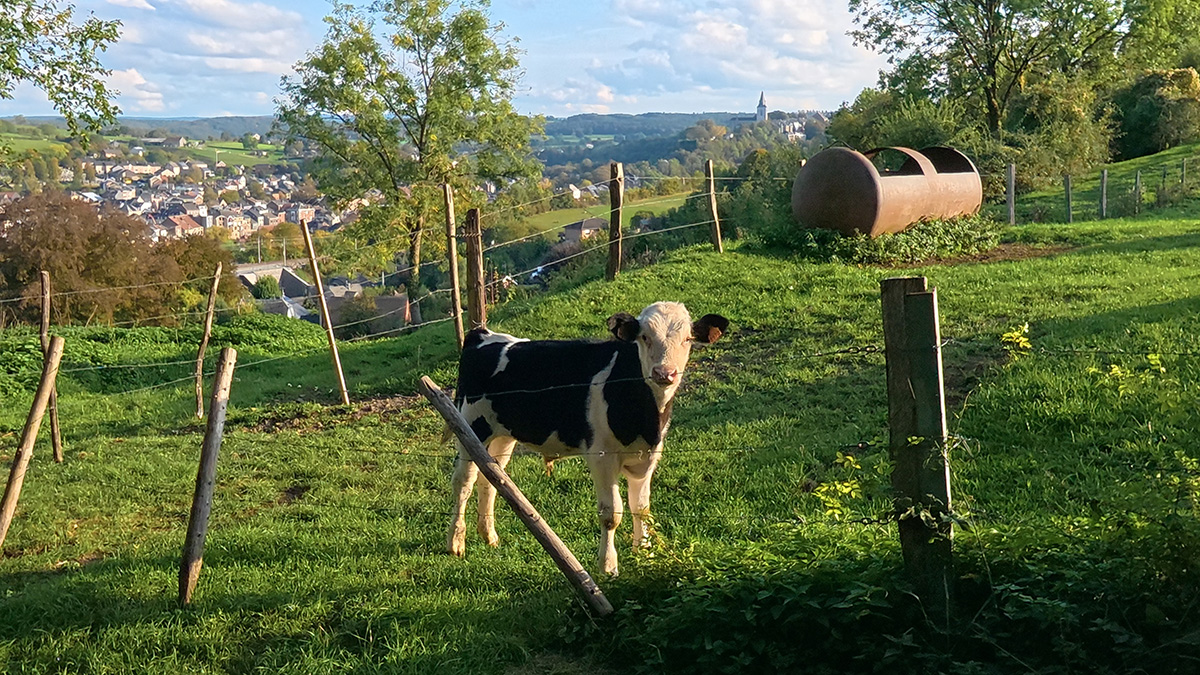
Two times crop on the Action 6. See how the calf is more detailed than the village and church tower in the background
Close focus (without the macro lens)
The minimum focus distance has traditionally been another weak point of action cameras, but due to its variable aperture, the Action has a neat little trick up its sleeve. While the normal minimum focus distance is about 35 cm, if you set the aperture to f/4, you can focus much closer at about 20 cm from the front of the lens. When combined with the 2x crop you can even crop in on your subject even more.
To set the aperture to f/4, tap on the 'sliders' icon on the right, and then tap on f/4. Do keep in mind that you will need more light when closing down the aperture to f/4. For general shooting, use the auto aperture setting.
Is Open Gate on the DJI Action 6 really open gate?
No it's not. This can be witnessed from the fact that in an earlier version of the Action 6's firmware, the 4 corners of the square image were curiously 'missing'. To mitigate that issue, DJI just cropped into the 'Open Gate' footage in a later firmware update, to get a true square readout. Examples of this earlier firmware can be found in The Drone Creative's review of the Action 6.
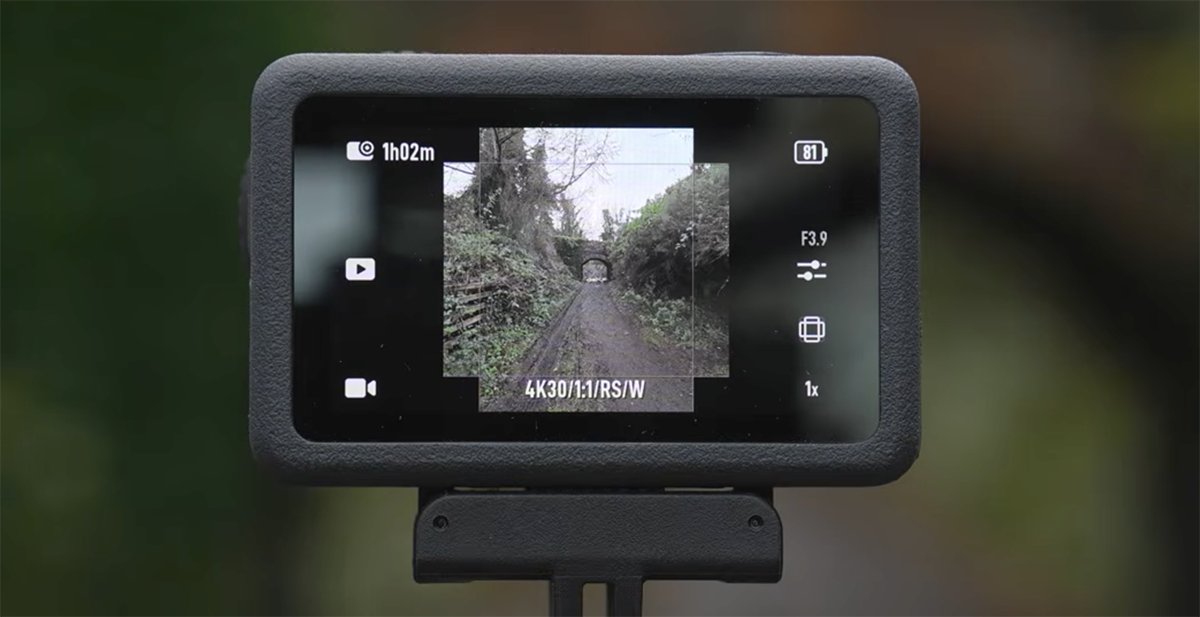
Still from The Drone Creative's video that shows the earlier firmware with the missing corners
Would I have prefered the full 'cornerless' image? Yes, that would have allowed for even more cropping freedom, the full sensor width/height and a slightly better image quality, but I also understand why DJI might have done this from a marketing perspective.
Is 8K on this camera actually useful?
Well, that depends. It is certainly a lot more usable on older computers, due to the lower bitrate compared to high-end 8K cameras. As for the usefulness: it does produce more detail when zooming in on the image, and when filming in 8K to then afterwards create a 2x 4K crop from the image, you do end up with a less artificially sharpened image, see below.
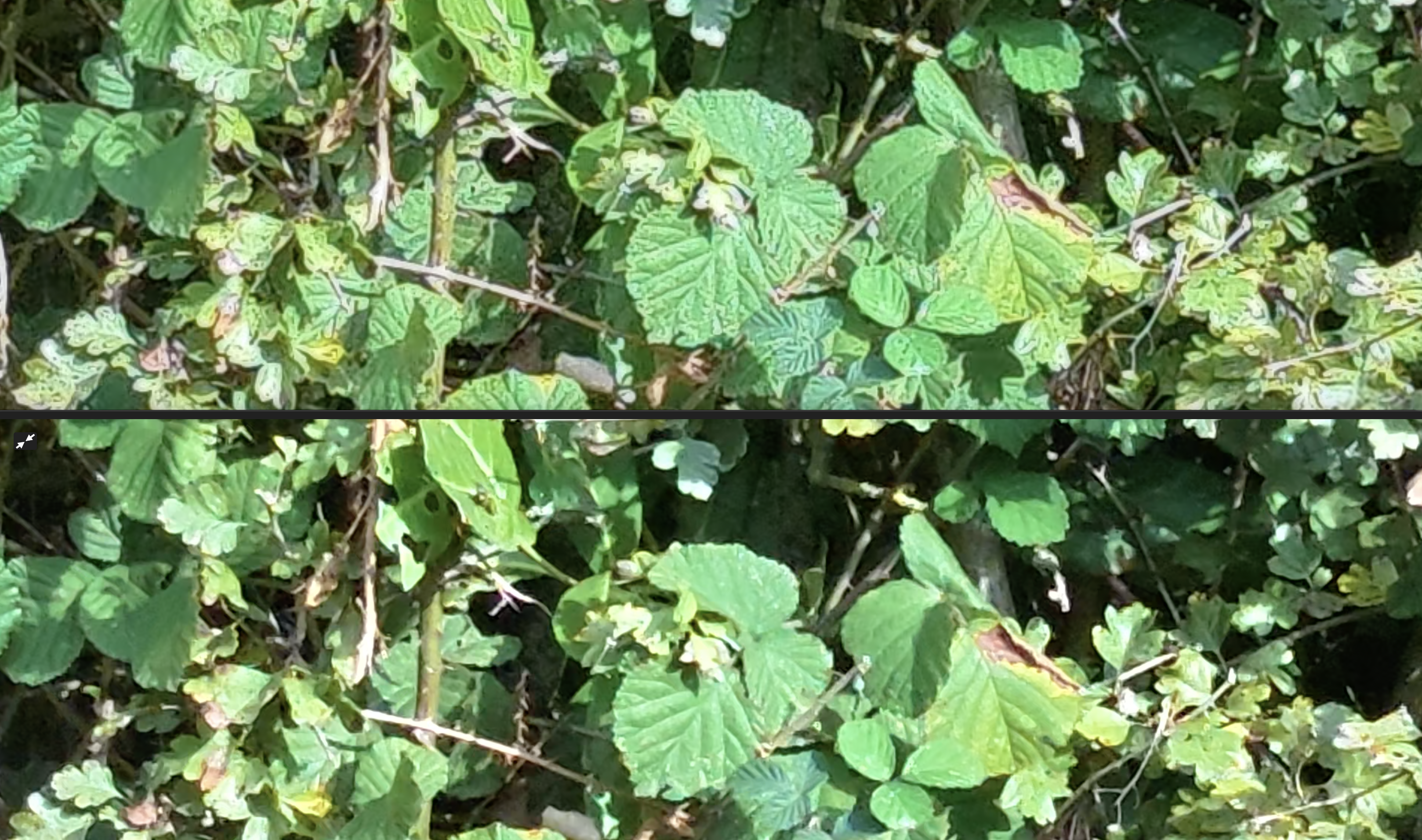
4K crop (top) vs 8K crop (bottom): the 8K crop has less artificial sharpening. Open in a new window to pixel-peep
Depending on your stabilisation settings, the 8K image tends to be very detailed in the center of your image, while suffering from smearing towards the left- and right edges of the image.
Due to the quad-bayer nature of the Action 6 sensor (4 pixels from the 8K readout form 1 pixel in 4K), the 8K holds up great in favorable outdoor lighting conditions, but indoors and in twilight the 8K quicly breaks apart due to noise. In those conditions the 4K really shines, as it retains color fidelity and reduces noise.
Change these settings before your first shoot
The Action 6 comes preconfigured for a sensible balance between image quality and stoage space. To get the best image quality and flexibility form the Action 6, change these settings before your first shoot:
Bitrate: high
Swipe down to get to the settings screen, tap the 'cog' icon and scroll down to bitrate. Set it to 'high'
Quality Priority: on
Click the 'sliders' icon on the right of the screen. This opens up the settings screen. Set 'quality priority' to 'on'.
D-log M
If you want to color-grade your footage afterwards, set color to 'D-Log M' with 'Color Recorvery' set to 'on'. This can be found on the same settings screen as above.
Why no 'Osmo'?
You might have noticed that I only mentioned the word 'Osmo' once in this article (in the title). The reason for that is personal. No offence to DJI, but to me 'Osmo' will always be the Mac game I played as a kid: "Cosmic Osmo and the worlds beyond the mackerel" ;-)
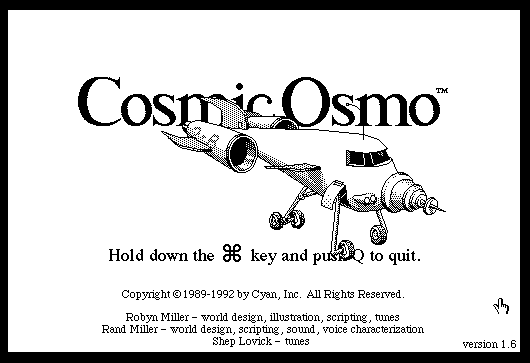
Cosmic Osmo and the worlds beyond the mackerel