Every time I came back from a shoot with dozens of video clips on my SD card, I found myself dreading the same repetitive task. I just wanted to apply my favorite LUT, quickly adjust exposure and contrast, and export the shots for a client or social media. Instead, I found myself opening heavy applications like DaVinci Resolve or Premiere Pro, managing media, endlessly copying the same LUT and color tweaks to separate clips, and waiting for a render queue that didn't even make use of my actual hardware.
That's why I created CineBatch: a super-fast batch color-grading and transcoding app, optimized for Apple Silicon Macs (M1, M2, M3, M4, M5).
Just drop your clips into the app, apply a LUT to all clips at once, and make quick manual adjustments per clip. Export to H.264 or HEVC as individual clips or as a single combined file.
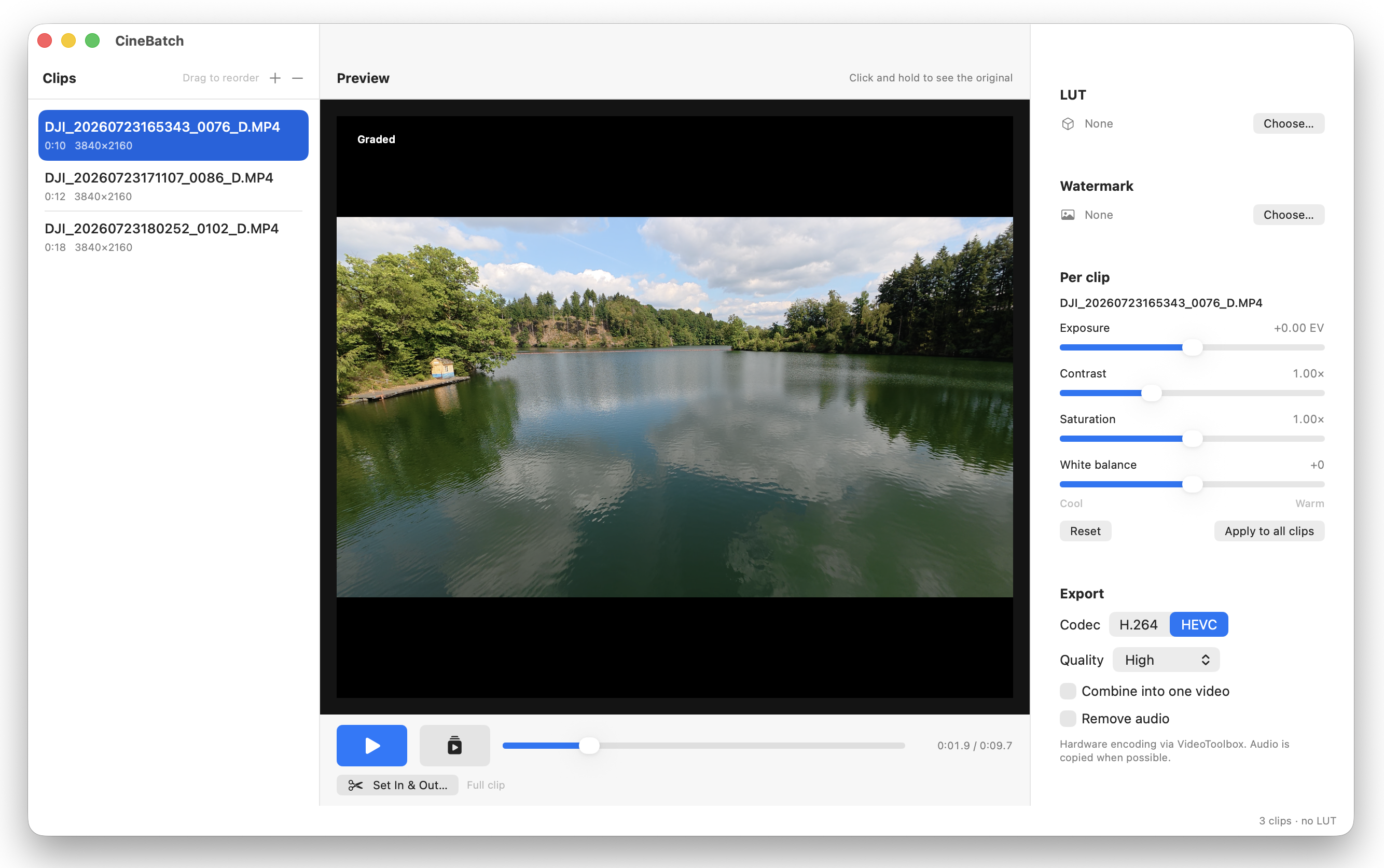 The CineBatch Interface
The free version is fully functional, but adds a watermark to your exported footage. You can buy a license at any time to remove the watermark via this link
This is a first version of the app, and I'm sure you will have feature requests for future versions (I already have many ideas for upcoming versions). If so, let me know!